
Pictory vs InVideo vs Fliki vs Synthesia vs Lumen5 (2026): Which AI Video Tool Wins?
Choosing the right AI video creation tool in 2026 is harder than ever. The market has exploded — and five tools keep showing up in every serious creator’s shortlist: Pictory AI, InVideo AI, Fliki, Synthesia, and Lumen5. Each does something well. None does everything equally well. This head-to-head comparison breaks down the real differences so you can pick the right one for your workflow.
We’ve tested all five tools hands-on, verified current 2026 pricing, and mapped each one to the use cases where it actually delivers. Whether you need to repurpose blog posts into videos, create AI avatar presentations for corporate training, or produce script-to-video content at scale — there’s a clear winner for your situation.
Quick Comparison Table (2026)
| Tool | Best For | Starting Price | Free Plan |
|---|---|---|---|
| Pictory AI | Video repurposing from text/articles | $19/mo (annual) | Free trial available |
| InVideo AI | Script-to-video, creative control | $28/mo (annual) | Yes — 10 min/week, watermarked |
| Fliki | Text-to-video with AI voices | $8/mo (basic, annual) | Yes — 5 min/month, watermarked |
| Synthesia | AI avatar videos for business | $18/mo (annual) | Yes — limited, watermarked |
| Lumen5 | Blog-to-video repurposing | $15/mo (annual) | Yes — 5 videos/month, watermarked |
Prices based on annual billing as of April 2026. Monthly billing costs 20–40% more on most platforms.
Pictory AI — Best for Video Repurposing from Text & Articles
Pictory has carved out a very specific niche: it takes content you’ve already created — blog posts, long-form scripts, existing video footage — and turns it into short, polished, shareable video clips with minimal manual effort. If you’re a publisher, blogger, or content marketer sitting on a backlog of written content, Pictory is the most efficient AI video creation tool available in 2026.
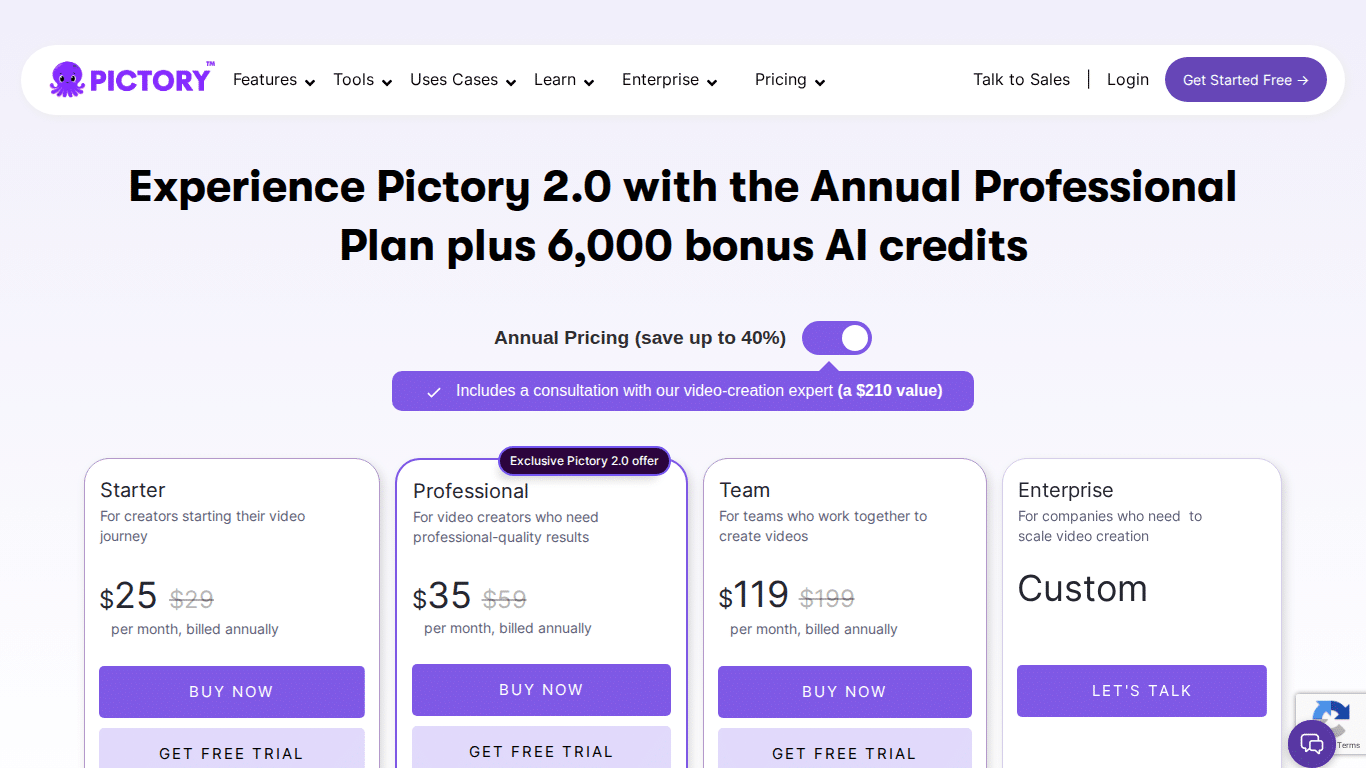
Pictory AI Pricing (2026)
- Starter: $19/month (annual) — 200 video minutes/month, 1 brand kit, 5 GB storage, standard AI voices in 7 languages
- Professional: $29/month (annual) — 600 video minutes/month, 5 brand kits, 20 GB storage, 120 min/month of ElevenLabs AI voices in 29 languages
- Team: $99/month (annual) — 1,800 video minutes/month, 3+ users, 10 brand kits, 100 GB storage, 240 min of ElevenLabs voices
- Enterprise: Custom pricing
💡 Exclusive discount: Use code SAVE20 at Pictory AI to get 20% off any plan — verified and active as of April 2026.
Pictory AI Key Features
- Text/URL to Video: Paste a blog post URL or script and Pictory automatically matches relevant visuals, adds captions, and generates a complete video — no editing needed
- Long Video to Short Clips: Upload a webinar, podcast video, or Zoom recording; Pictory’s AI identifies highlights and creates shareable short clips automatically
- ElevenLabs AI Voices: Access to 29 languages with noticeably more natural-sounding narration than generic TTS tools — a real differentiator
- Stock Media Library: 2 million assets on Starter (Storyblocks), scaling to 18 million from Getty Images + Storyblocks on Pro and Team plans
- AI Studio: Generate custom AI images and short video clips from text prompts to supplement stock footage
- Brand Kit System: Store fonts, colors, logos, and intros for consistent branded output across all videos — scales well for agencies
- Auto Captions: Accurate, auto-generated captions for all video types with style customization
Pictory AI Pros & Cons
- ✅ Fastest workflow for repurposing long-form text and video content
- ✅ ElevenLabs voices are a cut above standard TTS — sounds natural
- ✅ Excellent for high-volume content production without editing skills
- ✅ Brand kit system makes it genuinely scalable for agencies
- ✅ SAVE20 discount makes it the most affordable professional-tier option
- ❌ Template library is smaller than InVideo’s — less creative variety
- ❌ Not designed for original scripted productions or AI avatar videos
- ❌ Video minute limits can constrain heavy users on lower plans
InVideo AI — Best for Script-to-Video Creation
InVideo AI has repositioned itself as a full-service AI video creation studio in 2026. It integrates with OpenAI’s Sora 2 and Google’s VEO 3.1, gives you 5,000+ templates, a 16M+ asset library, and granular timeline editing controls. It’s built for creators and marketing teams who need both AI automation and manual creative control in the same platform.
InVideo AI Pricing (2026)
- Free Plan: 10 minutes AI generation/week, 4 exports/week, watermarked 720p, 10 GB storage
- Plus: $28/month (annual) — 50 min AI generation/month, unlimited 1080p watermark-free exports, 80 iStock assets/month, 2 voice clones
- Max: $50/month (annual) — 200 min AI generation/month, 320 iStock assets/month, 400 GB storage, 5 voice clones
- Generative: $100/month (annual) — 4K export, 200 min AI generation, 100 generation credits, 320 iStock assets
- Team: $899/month (annual) — 1,000 credits, 2,000 video minutes, 3,200 iStock assets
InVideo AI Key Features
- AI Prompt-to-Video: Type a topic or paste a script and InVideo generates a complete video with script, visuals, voiceover, and music — ready in minutes
- Sora 2 + VEO 3.1 Integration: Access to the two leading generative video models directly inside the platform — no separate subscriptions needed on higher plans
- 5,000+ Templates: One of the largest template libraries in the market — covers social ads, YouTube, product launches, explainer videos, and more
- 16M+ Stock Assets: Including iStock assets on paid plans — substantially larger than most competitors
- Voice Cloning: Clone your own voice (2–5 clones depending on plan) for consistent branded narration across videos
- AI Avatars (AI Twins): Create realistic on-screen presenters for multilingual content
- Timeline Editor: Full manual editing control — scene-by-scene adjustments, text overlays, transitions, and timing fine-tuning
- 4K Export: Available on the Generative plan for cinema-quality output
InVideo AI Pros & Cons
- ✅ Most versatile platform — automation + manual control in one place
- ✅ Sora 2 and VEO 3.1 integration gives direct access to top-tier generative models
- ✅ Best template library of all five tools
- ✅ Generous free plan — good for testing before committing
- ✅ Voice cloning adds authentic brand personality to videos
- ❌ Credit-based system can be confusing — easy to burn through credits fast
- ❌ Steeper learning curve than Pictory or Lumen5 for beginners
- ❌ Team plan pricing ($899/month) is significantly more expensive than competitors
Fliki — Best for Text-to-Video with AI Voices
Fliki’s standout strength is its voice library: 2,000+ AI voices across 80+ languages, including expressive multilingual voices that convey emotion — not just robotic dictation. For creators producing faceless YouTube videos, podcast snippets, or multilingual content at scale, Fliki is the most capable text-to-video AI voice generator in this comparison.
Fliki Pricing (2026)
- Free Plan: 5 minutes of credits/month, 300 voices in 80+ languages, 720p with watermark
- Basic: $8/month (annual) — core text-to-speech and text-to-video features
- Standard: $21–$28/month (annual) — 180–2,160 min/year, 1080p HD, no watermark, 1,000+ voices including 150 ultra-realistic, commercial rights
- Premium: $66–$88/month (annual) — 600–7,200 min/year, 2,000+ voices (1,000+ ultra-realistic), 30-min video length, multiple brand kits, AI avatars, voice cloning, priority support
- Enterprise: Custom pricing — API access, personalized avatars, custom credits
Fliki Key Features
- 2,000+ AI Voices in 80+ Languages: The most extensive voice library in this comparison — including expressive, emotion-aware voices beyond standard TTS
- Scene-Based Editor: Each scene has its own text, visual, and voice — making editing intuitive even without video production experience
- AI Playground (2026): Experiment with advanced AI image and video generation models without disrupting active projects — launched April 2026
- Character Consistency (2026): April 2026 update ensures the same face and outfit carry across all scenes in AI avatar videos — previously a major pain point
- Content Repurposing: Convert blog posts, PowerPoint presentations, and ideas directly into video — similar to Pictory but with stronger voice capabilities
- Voice Cloning: Available on Premium — create a custom AI voice from your recordings
- Brand Kits + Custom Fonts: Multiple brand kits on higher plans for consistent output
Fliki Pros & Cons
- ✅ Best AI voice selection of all five tools — 2,000+ voices, most expressive
- ✅ Most affordable entry point ($8/month Basic plan)
- ✅ Strong multilingual content production for global audiences
- ✅ 2026 character consistency update solves the avatar coherence problem
- ✅ AI Playground lets you experiment without project risk
- ❌ Less polished for marketing-style video production vs. InVideo
- ❌ AI avatar quality still trails Synthesia’s professional-grade avatars
- ❌ Free plan is very limited — 5 minutes/month barely covers testing
Synthesia — Best for AI Avatar & Training Videos
Synthesia operates in a different tier from the others. It’s not trying to be a content repurposing tool or a social media video factory. Synthesia is purpose-built for professional business video production — corporate training, internal communications, onboarding, and marketing with AI avatars that look and sound genuinely human. The enterprise security credentials (SOC 2, GDPR, ISO 42001) make it the only tool in this comparison that enterprise IT departments will approve without pushback.
Synthesia Pricing (2026)
- Free Plan: Limited video creation (3–10 minutes/month), basic avatars, watermarked output
- Starter: $18/month (annual) / $29/month (monthly) — 10–14 min video/month, 125+ avatars, MP4 downloads, no watermark, AI video assistance
- Creator: $64/month (annual) / $89/month (monthly) — 30–360 min/year, 180+ avatars, 5 personal avatars, API access, branded video pages, priority support
- Enterprise: Custom — unlimited production, custom avatars, SSO, advanced collaboration
- Studio Avatar Add-on: ~$1,000/year for photorealistic custom avatar based on your likeness
Synthesia Key Features
- 150–230+ Professional AI Avatars: The largest library of professional-grade avatars in this comparison — diverse, realistic, and enterprise-appropriate
- Digital Twin: Animate your own face as an AI avatar — create a custom presenter based on your likeness
- 140+ Language Support: 1,000–2,000+ voices with AI dubbing for 30+ languages and lip-sync — the strongest multilingual capability for business video
- One-Click Translation: Available on Enterprise plans — translate videos to 80+ languages including lip-synced avatar delivery
- AI Playground: Access to Veo 3.1 and Sora 2 generative models for high-quality video clip creation
- PowerPoint-to-Video: Convert existing presentations while retaining original design layouts — superior to competitors’ import tools
- 300+ Professional Templates: Business-oriented templates for training, HR, sales enablement, and communications
- Enterprise Security: SOC 2, GDPR, and ISO 42001 certified — the only tool here that passes enterprise IT vetting
Synthesia Pros & Cons
- ✅ Best AI avatar quality — most realistic, most professional-looking presenters
- ✅ Strongest enterprise-grade security and compliance credentials
- ✅ Superior multilingual capabilities for global business communications
- ✅ PowerPoint-to-video workflow preserves original designs (competitors don’t)
- ✅ Access to Veo 3.1 and Sora 2 via AI Playground
- ❌ Most expensive tool in this comparison for comparable video output minutes
- ❌ Not suited for high-volume content repurposing — limited video minutes on most plans
- ❌ Studio Avatar add-on ($1,000/year) adds significant cost for custom likeness
- ❌ Overkill for solo creators and small content teams
Lumen5 — Best for Blog-to-Video Repurposing
Lumen5 is the most focused tool in this comparison: it does one thing exceptionally well and has been doing it longer than the others. Paste a blog post URL, and Lumen5 scans the content, identifies key takeaways, builds a visual storyboard, and matches relevant stock footage to each point — producing a shareable social video in minutes. It’s the original blog-to-video AI, and for pure content repurposing speed, it remains the benchmark.
Lumen5 Pricing (2026)
- Free/Community Plan: Up to 5 videos/month, max 2 minutes each, Lumen5 watermark, 720p resolution
- Starter: $15/month (annual) / $30/month (monthly) — 1080p, access to 50M+ stock assets, personal use
- Pro: $50/month (annual) / $100/month (monthly) — full 160M+ stock library access, brand kits, AI voice-over narration
- Business/Team/Enterprise: Custom pricing — advanced collaboration, dedicated support, enterprise security
Lumen5 Key Features
- Blog-to-Video from URL: Paste any blog post URL — Lumen5 extracts key points and builds a video storyboard automatically — the fastest workflow in this comparison for written-content repurposing
- 160M+ Stock Assets: One of the largest media libraries — Shutterstock integration on paid plans adds professional-quality footage
- Drag-and-Drop Editor: Intuitive scene editor for non-technical users — no video editing skills required
- Brand Customization: Full control over logos, fonts, colors, watermarks, and themes for brand-consistent output
- AI Voice-Over: Available from Pro plan — automated narration without hiring voice actors
- Social Media Optimization: Multiple aspect ratios (16:9, 9:16, 1:1), auto-captions, and CTA overlays for platform-specific output
- Team Collaboration: Built-in collaboration tools for content teams managing high output volume
Lumen5 Pros & Cons
- ✅ Fastest blog-to-video workflow — no other tool makes URL-to-video this simple
- ✅ 160M+ stock asset library is among the largest available
- ✅ Lowest starting price of any paid plan in this comparison ($15/month)
- ✅ Ideal for content marketing teams with high blog output
- ✅ Very gentle learning curve — genuinely accessible for non-creators
- ❌ No AI avatars — limited to text-on-screen and stock footage approach
- ❌ AI voice-over locked behind Pro plan — adds to cost for basic narration
- ❌ Less creative control than InVideo — not suited for polished ad production
- ❌ Free plan caps at 5 videos/month with 2-minute limit — very restrictive
Head-to-Head Pricing Comparison (2026)
Here’s how pricing stacks up across all five tools when billed annually:
| Tool | Free Plan | Entry Paid Plan | Mid-Tier Plan | Best Value Pick |
|---|---|---|---|---|
| Pictory AI | Free trial | $19/mo (Starter) | $29/mo (Professional) | Professional + SAVE20 = ~$23/mo |
| InVideo AI | Yes (limited) | $28/mo (Plus) | $50/mo (Max) | Plus plan — best balance |
| Fliki | Yes (5 min/mo) | $8/mo (Basic) | $21–28/mo (Standard) | Standard plan for serious use |
| Synthesia | Yes (limited) | $18/mo (Starter) | $64/mo (Creator) | Creator for business teams |
| Lumen5 | Yes (5 videos/mo) | $15/mo (Starter) | $50/mo (Pro) | Pro for full features + voice |
Bottom line on pricing: Fliki wins on pure affordability. Pictory’s SAVE20 code makes it the best value in the mid-tier. Synthesia costs the most for comparable output but justifies it for enterprise use cases. InVideo and Lumen5 sit in the competitive middle ground.
Which AI Video Tool Should You Choose? (Use Case Matrix)
There’s no single “best” AI video creation tool. The right pick depends entirely on your workflow:
| Your Situation | Best Tool | Why |
|---|---|---|
| You have a blog and want to repurpose posts into videos fast | Lumen5 or Pictory AI | Both handle URL-to-video; Pictory adds ElevenLabs voices; Lumen5 is simpler |
| You create faceless YouTube videos with narration | Fliki | 2,000+ voices, best TTS quality, most affordable for high-volume narration |
| You need full creative control for social media ads | InVideo AI | 5,000+ templates, manual timeline editor, Sora 2/VEO 3.1 integration |
| You produce corporate training or onboarding videos | Synthesia | Best AI avatars, enterprise security, multilingual delivery with lip-sync |
| You’re a solo creator on a tight budget | Fliki (Basic $8/mo) | Lowest entry price with real features — not a crippled free tier |
| You need scalable video for an agency with multiple clients | Pictory AI | Brand kit system + volume minutes + SAVE20 discount = best agency value |
| You want to try before you buy | InVideo AI | Most generous free plan — 10 min AI generation/week without credit card |
Frequently Asked Questions
Is Pictory AI better than InVideo AI in 2026?
It depends on your use case. Pictory AI is better for automated content repurposing — turning blog posts, articles, and long videos into short clips with minimal effort. InVideo AI is better for script-to-video creation, social media ads, and workflows where you need both AI automation and manual creative control. For high-volume content repurposing, Pictory wins. For creative marketing production, InVideo is stronger.
Which AI video tool is cheapest in 2026?
Fliki is the most affordable at $8/month for a paid plan (Basic, billed annually). For the best value in the mid-tier, Pictory AI’s Professional plan at $29/month combined with the SAVE20 discount code brings it down to approximately $23/month — making it one of the best value propositions across all five tools in this comparison.
Does Synthesia have a free plan?
Yes, Synthesia offers a limited free plan with a small number of video minutes (approximately 3–10 minutes per month), basic avatars, and watermarked output. It’s sufficient for testing the interface but not for real production use. The Starter plan at $18/month (billed annually) is the minimum tier for practical, watermark-free output.
What is the best AI video tool for YouTube faceless channels?
Fliki is the top pick for faceless YouTube channels in 2026. It offers the largest AI voice library (2,000+ voices, 80+ languages), expressive multilingual voices, and a simple scene-based editor that makes high-volume video production efficient. The Premium plan adds AI avatars and voice cloning for more advanced faceless content formats.
Can Lumen5 create videos from blog posts automatically?
Yes — this is Lumen5’s core strength. You paste a blog post URL, and Lumen5’s AI scans the content, extracts key points, builds a visual storyboard, and matches stock footage to each scene. It’s the fastest blog-to-video workflow in this comparison. The result requires minimal editing and is ready for social media publishing in minutes.
Which AI video tool is best for corporate training videos?
Synthesia is the clear choice for corporate training videos. It offers 150–230+ professional AI avatars, support for 140+ languages with lip-synced dubbing, PowerPoint-to-video conversion that preserves original designs, and enterprise-grade security (SOC 2, GDPR, ISO 42001). No other tool in this comparison matches Synthesia’s combination of avatar quality and enterprise compliance credentials.
Does InVideo AI have a free plan?
Yes. InVideo AI’s free plan includes 10 minutes of AI generation per week, up to 4 exports per week, access to standard stock media, and 10 GB of storage. Exports are watermarked and capped at 720p resolution. It’s the most generous free plan in this comparison and requires no credit card to start — making InVideo the best tool to try before you buy.
Final Verdict
After testing all five AI video creation tools on pricing, features, ease of use, and real-world output quality in 2026, here’s our definitive take:
- 🏆 Best for repurposing written content: Pictory AI — use code SAVE20 for 20% off. The ElevenLabs voice quality and brand kit system are genuinely differentiating at this price point.
- 🥈 Best all-around creative tool: InVideo AI — 5,000+ templates, Sora 2/VEO 3.1 integration, and the most generous free plan make it the default choice for marketing teams who need versatility.
- 🎙️ Best for voice-first content: Fliki — 2,000+ voices in 80+ languages with real expressiveness. Unmatched for faceless YouTube and multilingual content at the lowest price.
- 🏢 Best for enterprise and training: Synthesia — no competition at the enterprise level. The avatar quality, compliance credentials, and multilingual dubbing are in a different league.
- 📝 Best for blog-to-video simplicity: Lumen5 — if you have a content blog and want the fastest path to social video, Lumen5’s URL-to-video workflow is still the benchmark.
For most individual creators and small teams, the practical choice comes down to Pictory AI vs InVideo AI — and the decision hinges on whether your priority is repurposing speed (Pictory) or creative control (InVideo). Both are excellent tools. Both offer solid free trials. Try them both — but if you go with Pictory, use code SAVE20 at pictory.ai for 20% off.
Affiliate Disclosure: This post contains affiliate links. If you purchase through our Pictory AI link using code SAVE20, we may earn a commission at no additional cost to you. We only recommend tools we’ve evaluated and believe provide genuine value.


Leave a Comment
You must be logged in to post a comment.